Ask a coding agent for "a small 3D scene with two foxes walking around a rock" and it usually draws boxes and spheres, or invents a model URL that does not exist. With the Gaitkit MCP server connected, the same request turns into real assets, real knob values and code that runs. Below is one session from start to finish: the tool calls, what came back, and the scene it produced.
1. Connect the server
The server speaks MCP over Streamable HTTP at a single URL, and browsing needs no key. In Claude Code it is one line; Cursor, Codex and VS Code take the same URL in their config (setup for each).
claude mcp add --transport http gaitkit https://gaitkit.com/mcp2. Search, and get an honest answer
The agent's first call was search_assets with the words from the request. The top result was the fox, a free model:
{ "coverage": "ok", "assets": [ { "id": "fox", "class": "creature", "motion": "walk", "legs": 4,
  "triangles": 2572, "tier": "free", "knobs": ["coat", "ears", "brush", "size"] } ] }
coverage is the search grading itself. When the catalogue has nothing close, it says so instead of offering the nearest unrelated thing. Asking for an accordion, for example, came back like this:
{ "coverage": "none", "count": 0, "assets": [],
  "note": "Nothing fits well. Tell the user honestly and offer report_need so it gets built." }
That honesty matters more for agents than for people. An agent that receives a castle wall when it asked for an accordion will happily build the scene with the castle wall. report_need logs the request, and those requests decide what gets modelled next.
3. Turn words into knobs
The user wanted one fox to be "arctic white with big ears". Every Gaitkit model is code with typed knobs, and get_variant maps plain words onto them:
{ "confidence": "high", "applied": ["coat=arctic", "ears=1.8"],
  "call": "createAsset({\"coat\":\"arctic\",\"ears\":1.8})", "unknown_words": ["bit"] }
The request also said "a bit larger". The matcher had a size knob but did not read "a bit larger" as a value, so it listed bit as an unknown word instead of guessing. The agent can then ask, or set size itself from the knob schema that get_asset returns:
"size": { "type": "range", "min": 0.6, "max": 1.4, "default": 1,
          "describe": "Uniform scale. 1 is about 40 cm at the shoulder; 0.6 reads as a kit or a fennec." }
4. Read the gait, not just the mesh
get_asset also returned the fox's gait: four legs in two groups, a 15 cm stride, a duty factor of 0.7 (each paw stays down 70% of the cycle) and the home position of every foot. That is what makes the next step short. The model does not ship a fixed animation that only looks right at one speed. A small runtime turns distance travelled into a pose, so the paws land and stay planted however fast the fox moves.
5. The scene
The agent wrote one HTML file. Models come straight from the CDN as ES modules; the boulder and hedges are free models too, and everything shares one real-world scale in metres, so nothing needed rescaling.
import * as THREE from 'three';
import { createAsset as fox } from 'https://gaitkit.com/cdn/fox.mjs';
import { createAsset as boulder } from 'https://gaitkit.com/cdn/boulder.mjs';
import { walker } from 'https://gaitkit.com/runtime/walk.mjs';

const lead = fox({ coat: 'arctic', ears: 1.8 }), follow = fox();
scene.add(lead, follow, boulder());

const path = new THREE.CatmullRomCurve3([
  new THREE.Vector3(-1.3, 0, 0), new THREE.Vector3(0, 0, 1.1),
  new THREE.Vector3(1.3, 0, 0), new THREE.Vector3(0, 0, -1.1),
], true);
const length = path.getLength(), p = new THREE.Vector3(), t = new THREE.Vector3();
const walkers = [[lead, walker(lead), 1.2], [follow, walker(follow), 0]];

let dist = 0;
renderer.setAnimationLoop(() => {
  dist += 0.45 * clock.getDelta();                    // metres this frame
  for (const [m, gait, lag] of walkers) {
    const d = dist + lag, u = ((d / length) % 1 + 1) % 1;
    path.getPointAt(u, p); path.getTangentAt(u, t);
    m.position.copy(p);
    m.rotation.y = Math.atan2(t.x, t.z);              // models face +Z
    gait.poseAt(d);                                   // after moving: feet are placed in world space
  }
  renderer.render(scene, camera);
});
The order inside the loop is the one detail worth remembering: move the model first, then call poseAt with the same distance. Posing first leaves the feet a frame behind, and they appear to skate. The full walk-through, including uneven ground, is in the guide How to add a walking 3D creature to a three.js scene.
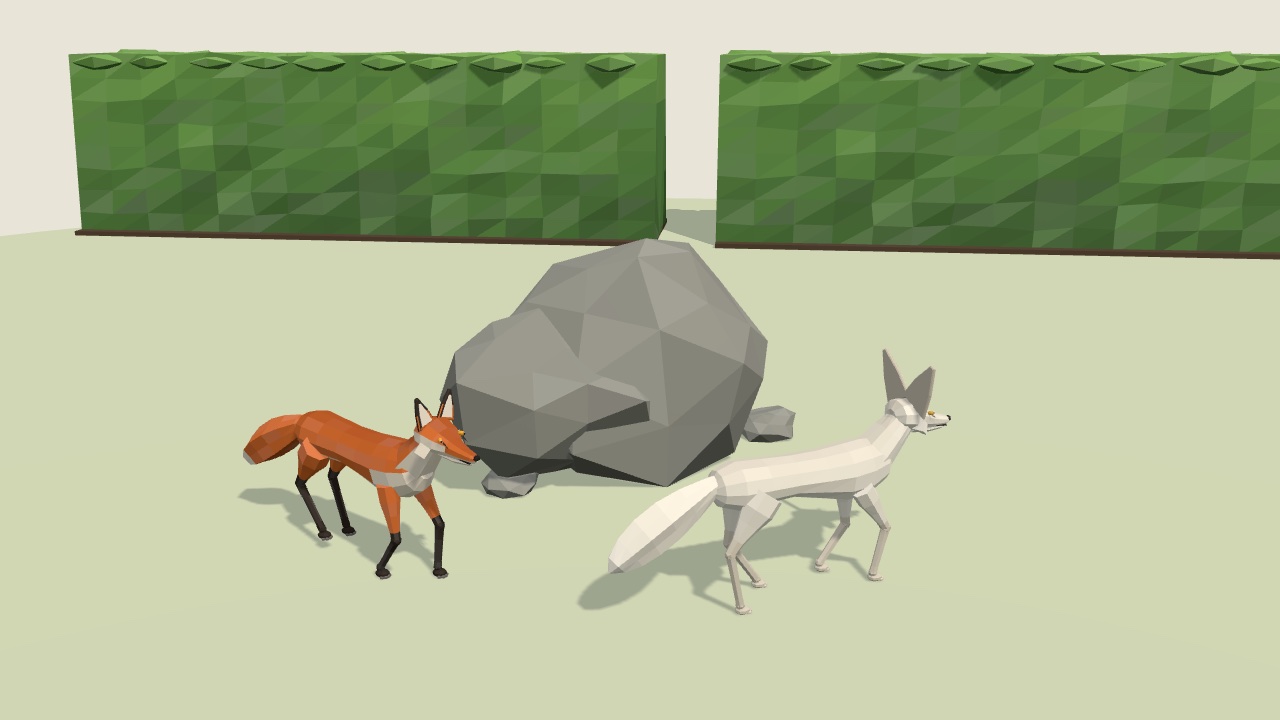
What the agent did not have to do
It did not search the web for a model, check a licence, convert a file, fix the scale, rig anything or keyframe a walk. Each of those is where agent-built 3D scenes usually go wrong. The fox is free to use in commercial work without credit; Pro models work the same way once the agent sends an API key, which also makes the download links it hands back work.
Try it
Connect the server, then ask your agent for something you need: "a red pickup truck whose wheels turn", "a beetle that walks on uneven ground", "a cottage with a door that opens". If it is not in the catalogue yet, the agent will tell you, and the request goes into the queue. The agents page has the setup for every client.
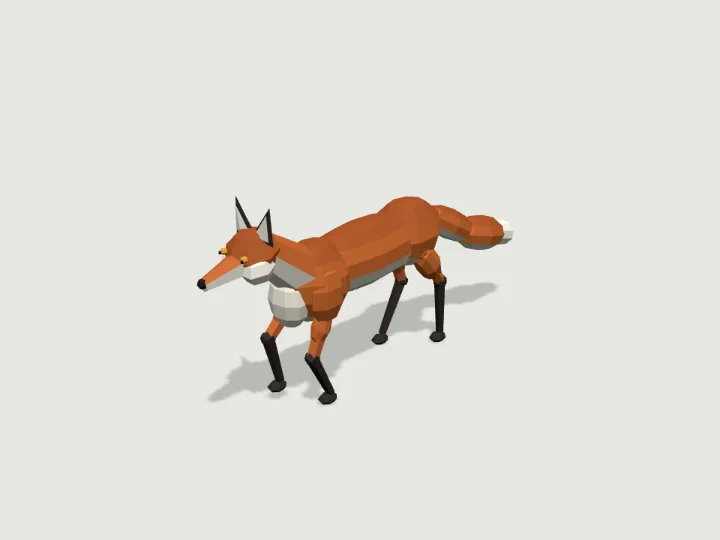 Fox
Fox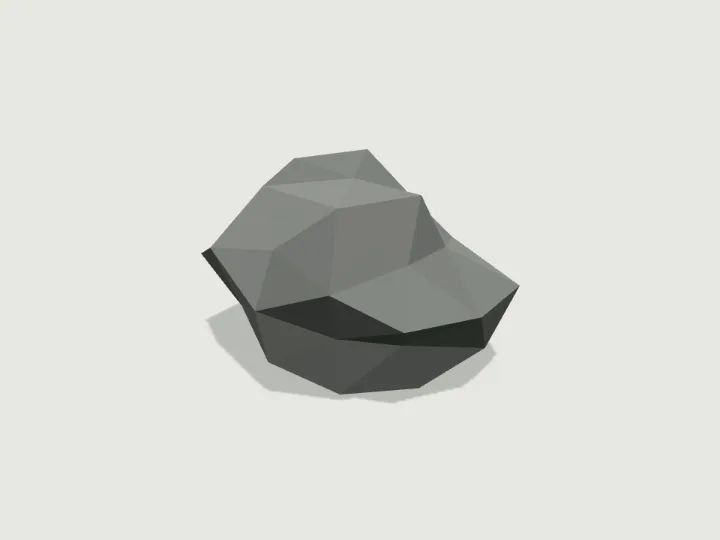 Boulder
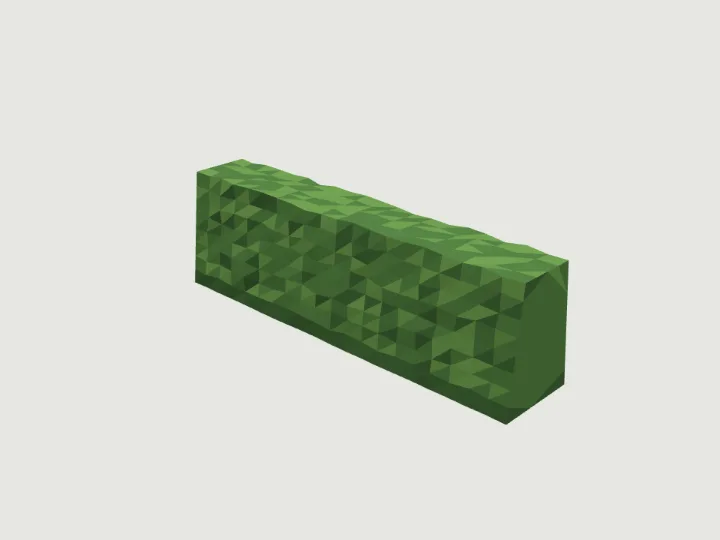 Hedge
Hedge